Most clouds
A room in a giant hotel
Easy to move into, but you pay for every guest, every room and every extra towel: per seat, per app, per request. The bill grows in ways that are hard to guess.
About Aria
Aria is an AI-native self-hosted cloud. Each plan is one dedicated server that Aria sets up, hardens and runs for you, at one flat monthly price. Your coding agent describes your app in one file, and Aria builds everything around it.
Here’s the simple version01The simple version
Most clouds
Easy to move into, but you pay for every guest, every room and every extra towel: per seat, per app, per request. The bill grows in ways that are hard to guess.
A bare server
It’s all yours and it’s cheap, but you lay every brick: security, updates, certificates, backups and deploys. Weekends disappear.
Aria
Yours alone, at one price. Aria builds it, keeps it safe and tidy, and asks you before it changes anything. You just move your app in.
02How it works
Claude Code, Cursor or any other agent reads your code and writes one small file, aria.yaml, that lists what your app needs: its parts, its databases, its settings.
Aria checks the file, suggests the right size of server, then sets up the machine, the databases and the web addresses, and puts your app live.
From the Mac app or your browser you see everything that’s running. When something needs to change, Aria asks you first, with one tap to say yes.
03What’s inside
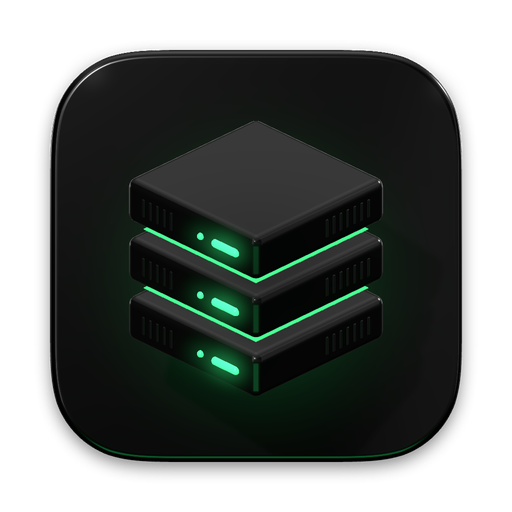
A real server with its own memory and disk. Nobody else’s app lives on it.
Your databases, like Postgres, Redis or Supabase, kept safe right next to your app.
Your website, your API and anything that runs in the background, all from your code.
The green light between the layers is Aria, looking after all three.
04The safety promise
Checking status, reading logs, seeing how busy the server is. Looking never changes anything.
Deploys, restarts and settings wait for your yes, with a clear note of what will happen.
Servers and databases can only be deleted by you, typing the name to be sure.
Aria enforces these rules itself, not the AI. A clever prompt can’t talk its way past them.
05Where Aria stands today
Statuses come from this Aria server’s own settings, so nothing is called Real before it is.
| Part | Status | Details |
|---|---|---|
| Accounts and sign-in | Real | Create an account, verify your email with a 6-digit code, sign in, reset your password, turn on two-factor authentication, download your data or delete your account. |
| Emails from Aria | Local only | Codes are sent for real, but in development they arrive in a local test inbox, not your mailbox. |
| Stack file (aria.yaml) | Real | The prompt for your coding agent, line-by-line validation, a draft Aria writes from your code, and a memory estimate that suggests a plan. |
| Server setup | Local only | Creates the server, pins its SSH identity, installs Docker, a firewall and Aria’s server tools, then checks its health. |
| Deploys and rollback | Local only | Builds with Railpack or your Dockerfile, switches over without downtime, keeps build and runtime logs, and rolls back in about 2 seconds. |
| PostgreSQL and Redis | Local only | Created, connected to your app, health-checked and backed up on the server. |
| Environment variables | Local only | Wired from your databases, generated, or set by you (one by one or by pasting a .env). A service waits for missing values and deploys when you add them. |
| Claude Code and other agents (MCP) | Local only | Connect Claude Code with one command. Its key only reaches one workspace, and changes to variables or anything destructive still need your approval. |
| GitHub and deploy on push | Not configured | Redeploying the services a commit touches works today with local git folders. GitHub repositories need Aria’s GitHub App, which isn’t set up yet. |
| Cloud servers | Not configured | Built and tested: ordering a dedicated server, its firewall, setup, resizing and release. It opens once Aria’s cloud account is connected; no real server has been created yet. |
| AI Operator | Not configured | Reads logs and server state, shows its evidence and asks before changing anything. It needs an Anthropic API key; so far it is tested with a scripted model. |
| Plans and checkout | Not configured | Prices are drafts. Payments through Stripe are built (checkout, invoices, VAT, failed payments); until Stripe is connected, checkout is a test-mode demo and no card is charged. |
| Setting up everything from aria.yaml | Local only | One launch creates the server, databases, variables and every service in the file, then checks each one answers. |
| Self-hosted Supabase | Local only | Postgres, Auth, REST, Realtime, Storage and Studio on your server, wired into your services, with direct database access and a guided move from Supabase Cloud. |
| Domains and HTTPS | Local only | .localhost names work on the local server now. Real domains check DNS and get certificates once the server is on the internet. |
| Email for your app | Local only | An SMTP server for your app with a private test inbox you can read in Aria. Real delivery needs a Resend key. |
| Server upgrades and size suggestions | Local only | Changing plan resizes the server while it runs. Aria samples usage every minute and suggests a bigger plan (and emails you) when memory, CPU or disk run short. |
| Hetzner, DigitalOcean and Vultr | Planned | More places for your server to run. |
| Offsite backups | Planned | Copies of your backups kept away from your server. |
06Why we’re building it
Coding agents can now write most of an app in an afternoon. Then comes the hard part: servers, databases, addresses, certificates, secrets and bills that grow with every seat. Aria is the missing piece: a cloud that’s yours, that sets itself up, and that never lets an AI do something you didn’t agree to.
Aria is an AI-native self-hosted cloud. Each plan is one dedicated server that Aria sets up, hardens and runs for you, at one flat monthly price, so you get the ease of Vercel and Supabase on a server that is yours alone.
Your coding agent (Claude Code, Cursor or any other) reads your repository and writes one aria.yaml file listing your services, databases and environment variables. Aria checks it, suggests the smallest plan that fits, then sets up the server and deploys.
Not without you. Looking (status, logs) runs straight away; changes such as deploys wait for your approval; deleting a server or database needs you to type its name. Aria enforces these rules itself, not the AI.
One flat monthly price per server, from £8 a month ex VAT. There are no charges per seat, per app, per database or per request.
One server, one price, from £8 a month. No charges per seat, per app or per request.